Home > Store > Operating Systems > Microsoft Windows Desktop

Microsoft Windows 7 LiveLessons (Video Training): Mastering the Windows User Experience

Add To My Wish List

  • Copyright 2010
  • Edition: 1st
  • DVD
  • ISBN-10: 0-7897-4226-8
  • ISBN-13: 978-0-7897-4226-1

Register your product to gain access to bonus material or receive a coupon.

  • Description
  • Extras
  • Reviews
  • Sample Content & TOC

Video training on demand, for everyone who wants to succeed with Windows 7: a complete video course containing 100 step-by-step screencasts!


  • Start-to-finish personal training on Windows 7 by one of the world's leading experts: just watch and learn!
  • Simple, quick video walkthroughs and practical examples guide users through making the most of the Windows 7 user experience - painlessly!
  • Great classroom training at a fraction of the cost... for everyone who doesn't have time to read a book


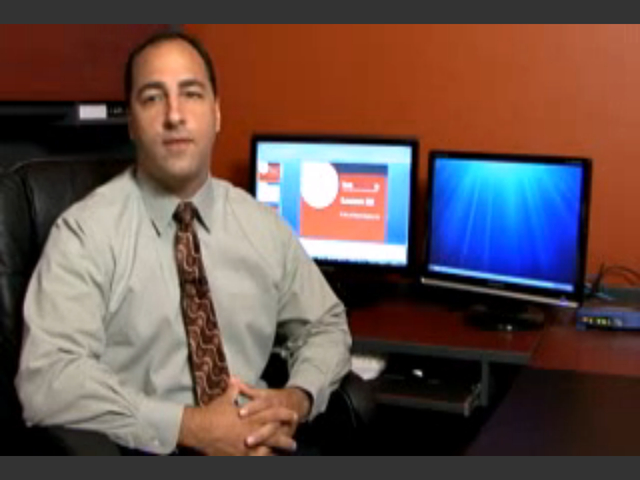
In Windows 7: Video LiveLessons, J. Peter Bruzzese presents more than six hours of personalized Windows 7 video training - 100 quick, bite-size video lessons that teach virtually every essential skill Windows 7 users want and need. You can build your skills one step at a time, by simply watching these polished, upbeat videos. Bruzzese begins by touring Windows 7, introducing everything from shortcut keys to Sidebar gadgets; then covers everything from user account control and network setup to Windows Media Player and MovieMaker. He walks through essential tasks like sharing files and making system backups, and presents dozens of tips and tricks that can be used by anyone, including novices. Through these quick, self-contained lessons, you can learn key skills at your own pace - often in as little as five minutes. Every lesson begins with well-defined learning objectives, and ends with easy-to-understand summaries that help you  track your progress. Like all products in the highly successful LiveLessons series, Windows 7 LiveLessons responds to the growing marketplace demand for just-in-time training delivered visually, by leading industry experts. It delivers the power of the best classroom training at a small fraction of the cost, and is designed to appeal to the enormous audience of professionals and consumers who want to master Windows 7 but don't have time to read a large book on the subject!

Customer Reviews

7 of 7 people found the following review helpful
5.0 out of 5 stars More helpful than I expected, April 27, 2010
This review is from: Microsoft Windows 7 LiveLessons (Video Training): Mastering the Windows User Experience (DVD-ROM)
Customer review from the Amazon Vine™ Program (What's this?)
This series of 100 lessons covers everything from basic features to system administration tasks. Most lessons run under five minutes, short enough to be digestible. I did not watch every lesson, but I did watch a significant majority. OK, I skipped Internet Explorer because I use Firefox.
The major categories are the following:
1. Windows 7 Basics
2. Windows 7 Application Enhancements
3. Internet Explorer 8.0
4. Security Features
5. Control Panel Applications
6. Networking
7. Administrative Tools
8. System Settings
9. Windows 7 Performance Tools
10. Managing and Troubleshooting Windows
I actually got a lot of value from the first five sections, other than IE8. And if you are transitioning from XP to Win7, this is very helpful. I had a limited exposure to Vista on other people's computers and found it extremely frustrating. What I learned from these lessons eliminated those frustrations.
The second five... Read more
Help other customers find the most helpful reviews 
Was this review helpful to you? Yes No


2 of 2 people found the following review helpful
5.0 out of 5 stars Outstanding Learning Tool, April 27, 2010
This review is from: Microsoft Windows 7 LiveLessons (Video Training): Mastering the Windows User Experience (DVD-ROM)
Customer review from the Amazon Vine™ Program (What's this?)
J. Peter Bruzzese's Mastering Windows 7 Training DVD briefly touches on the basics in 100 easy to understand lessons. Geared primarily for new and middle of the road users, these relatively quick but useful nibbles of information touch on the very core of Windows 7.

The instruction segments are a little over 90 seconds to a full five minutes. For me personally I would've liked more of an in depth data dump but I do understand the target group. I like the format and direction of this video. One of the nicer feeds is the improved download performance of Windows 7. Thirty seconds is definitely a plus from the older lineup of Microsoft platforms.

This well scripted lesson plan can easily be referenced from one chapter to the next. It covers new enhancements, networks, security, admin tools, settings, trouble shooting and more. As a Firefox user, the Internet Explorer 8 segment did nothing for me but I do recommend that IE8 users view this informative segment... Read more
Help other customers find the most helpful reviews 
Was this review helpful to you? Yes No


1 of 1 people found the following review helpful
5.0 out of 5 stars Excellent intro to Windows 7 for Windows users, July 3, 2011
This review is from: Microsoft Windows 7 LiveLessons (Video Training): Mastering the Windows User Experience (DVD-ROM)
Customer review from the Amazon Vine™ Program (What's this?)
If you are a Windows Vista or XP user, and you are looking for a video introduction to Windows 7, this is a compact, concise, helpful and practical video guide! If you never used Windows before, this tutorial does not teach you Windows 7 from the ground-up. It is best suited for users of previous versions of Windows who want to get up to speed with Windows 7.

The tutorial is delivered on a DVD-ROM (as the product title states) so you can only play it on a computer. You cannot play it in your DVD or Blu-Ray player! The program runs directly from the DVD-ROM disc. Included on the disc is a 134-page PDF file that is a companion to each lesson in the video.

The lessons happen in window with a fixed size of 800x600. You cannot resize the window!

It features 100 lessons, most of them running between 3-5 minutes. Each lesson starts with a very short overview and then jumps right in. The teaching style is very even-keeled and on-topic, almost documentary... Read more
Help other customers find the most helpful reviews 
Was this review helpful to you? Yes No


Share your thoughts with other customers:
 See all 49 customer reviews...

Excerpts

Microsoft Windows 7 (Video Training): Aero Snap

Microsoft Windows 7 (Video Training): An Initial Tour of Windows 7

Table of Contents

Introduction: What’s New?

Section 1: Windows 7 Basics [00:51:53]

Section 2: Windows 7 Applications Enhancements [00:35:01]

Section 3: Internet Explorer 8.0 [00:38:05]

Section 4: Security Features [00:44:19]

Section 5: Control Panel Applications [00:48:24]

Section 6: Networking [00:39:18]

Section 7: Administrative Tools [00:53:07]

Section 8: System Settings [00:26:09]

Section 9: Windows 7 Performance Tools [00:29:39]

Section 10: Managing and Troubleshooting Windows 7 [00:19:33]


DRM-Free Video Downloads. Purchase and immediately download individual lessons from this video. Make your lesson selections below and click on the Buy button.

Videos can be viewed on: Windows 8, Windows XP, Vista, 7, and all versions of Macintosh OS X including the iPad, and other platforms that support the industry standard h.264 video codec.

Lesson 1

Windows 7 Basics, Downloadable Version

In just over 50 minutes, these 15 lessons will help you master the basics of Windows 7. Topics covered include: Desktop Gadgets, Shortcut Keys, Aero Snap, Taskbar Features, Start Menu, Date and Time, Personalization, Display Configuration, Jump Lists, Windows Explorer and Libraries, Seach and Federated Search, and more.

Duration: 00:53:03  File Size: 54MB

View exampleView example
$6.99

Lesson 2

Windows 7 Application Enhancements, Downloadable Version

Applications you've used for years, like WordPad and Paint, have received new enhancements in Windows 7 - a whole new interface, in fact. Even Calculator has new bells and whistles. These 10 lessons will walk you through the changes and introduce you to the new Windows Live Essentials applications including Mail, Photo Gallery, Writer, and Messenger. 

Duration: 00:36:11  File Size: 34MB

View exampleView example
$4.99

Lesson 3

Internet Explorer 8.0 and Windows 7, Downloadable Version

Internet Explorer 8.0 is included with Windows 7 and it comes with many great new features including Web Slices, InPrivate Browsing, Quick Tabs, Grouped Favorites, Accelerators, and SmartScreen Filter. These 10 lessons will help you learn all of those new features and more.

Duration: 00:39:14  File Size: 40MB

View exampleView example
$4.99

Lesson 4

Windows 7 Security Features, Downloadable Version

We all want to feel secure and be secure when working on our computers. You may feel it is impossible in this dangerous world of root kits, bots, spyware, and viruses to ever be safe. Windows 7 includes User Account Controls, Windows Defender, Windows Firewall Enhancements, BitLocker, and a even a new USB encryption feature called BitLocker To Go. These 10 lessons will show you how you can protect yourself with the tools that Windows 7 provides.

Duration: 00:46:07  File Size: 42MB

View exampleView example
$5.99

Lesson 5

Windows 7 Control Panel Applications, Downloadable Version

Opening your Control Panel for the first time reveals a technical cornucopia of mini-applications; each one has its own importance in administering your system. The applications discussed in these 15 lessons include those not found under the security, networking, or performance categories: Auto Play, Credential Manager, Device Manager, Access Center, Fonts, Power Options, Speech Recognition, Sync Center, User Accounts, Windows CardSpaces, Windows Update, and more.

Duration: 00:49:34  File Size: 43MB

View exampleView example
$6.99

Lesson 6

Windows 7 Networking, Downloadable Version

Whether a home network, wireless network, or a work network, Windows 7 is designed to make the connection smoothly and securely. Through these 10 lessons, you will learn how to use the new Home Groups feature; how to share media more easily within your home network; and how to use the Network and Sharing Center, which is a one-stop-shop for all your networking needs; and much, much more.

Duration: 00:40:28  File Size: 36MB

View exampleView example
$5.99

Lesson 7

Windows 7 Administrative Tools, Downloadable Version

Windows 7 includes very powerful administrative tools such as Event Viewer, Task Scheduler, various Disk Management tools, and much more. These 10 lessons explore all the tools you need to work under the hood in Windows 7, from memory diagnostics to services, and more.

Duration: 00:54:17  File Size: 49MB

View exampleView example
$6.99

Lesson 8

Windows 7 System Settings, Downloadable Version

From within your System Properties you can fine-tune Performance, Start Up and Recovery, Remote Access, and much more. These 7 lessons will help you to understand each tab of the System Properties dialog and the many settings of each. 

Duration: 00:27:19  File Size: 24MB

View exampleView example
$3.99

Lesson 9

Windows 7 Performance Tools, Downloadable Version

Performance enhancement begins with identifying the bottlenecks of your system - the component that functions slowest. Perhaps you need more memory, a faster processor, or a better hard drive. Well, how would you know? There are a variety of different tools to utilize including the Task Manager, Resource Monitor, and the Reliability Monitor. The most intricate of them all is the Performance Monitor. These 8 lessons explore all of these different tools, showing you just how powerful the Performance Monitor can be in eradicating bottlenecks.

Duration: 00:30:49  File Size: 30MB

View exampleView example
$3.99

Lesson 10

Managing and Troubleshooting Windows 7, Downloadable Version

These five lessons demonstrate how to back up and restore your system; how to use the new troubleshooting tools; how to work with the Problem Steps Recorder; and how to ask for help through Remote Assistance. You'll also learn about PowerShell, one of the best new tools in Windows 7 for managing and troubleshooting, both remotely and locally.

Duration: 00:20:43  File Size: 21MB

View exampleView example
$2.99

Actual product comes full screen and in high resolution.

Actual product comes full screen and in high resolution.

Actual product comes full screen and in high resolution.

Actual product comes full screen and in high resolution.

Actual product comes full screen and in high resolution.

Actual product comes full screen and in high resolution.

Actual product comes full screen and in high resolution.

Actual product comes full screen and in high resolution.

Actual product comes full screen and in high resolution.

Actual product comes full screen and in high resolution.


DVD

This product currently is not for sale.

Buy

Downloadable Lessons   $49.99  $39.99

About this video

Accessible from your Account page after purchase. Requires the free QuickTime Player software.

Videos can be viewed on: Windows 8, Windows XP, Vista, 7, and all versions of Macintosh OS X including the iPad, and other platforms that support the industry standard h.264 video codec.

Purchase Reward: One Month Free Subscription
By completing any purchase on Que, you become eligible for an unlimited access one-month subscription to Safari Books Online.

Get access to thousands of books and training videos about technology, professional development and digital media from more than 40 leading publishers, including Addison-Wesley, Prentice Hall, Cisco Press, IBM Press, O'Reilly Media, Wrox, Apress, and many more. If you continue your subscription after your 30-day trial, you can receive 30% off a monthly subscription to the Safari Library for up to 12 months. That's a total savings of $199.